
How to Connect Taobao to Shopify?
How to Connect Taobao to Shopify: Auto-Sync & Fulfillment Guide.
You can connect Taobao to Shopify by using a dedicated dropshipping integration app like BuckyDrop. The process involves three main steps:
1. Product Syncing: Importing Taobao listings and variants directly to your Shopify store;
2. Inventory Automation: Linking real-time stock levels to prevent overselling; and
3. Fulfillment Integration: Automatically forwarding Shopify orders to a China-based warehouse for quality control and shipping.
Dropshipping itself is a fulfillment model where an online store sells products without keeping them in stock; when a customer places an order, the store forwards it to a supplier who handles fulfillment, according to Shopify’s own explanation of the model. For merchants sourcing from China, the challenge is making that supplier-side workflow reliable enough for real customer orders. (Source:https://www.shopify.com/blog/what-is-dropshipping)
This guide explains how the process works, what to prepare before starting, how to import or sync Taobao products to Shopify, and when using BuckyDrop may be more efficient than managing every step manually.
Why Connect Taobao to Shopify?

Taobao serves as a 'High-Speed Research Lab.' Because it is a retail-facing marketplace, it moves faster than B2B platforms like 1688. Use Taobao to identify trending consumer variants and aesthetic packaging styles before they hit the global wholesale market.
For cross-border ecommerce beginners, it can be a practical place to discover products before testing them in a Shopify store.
But Taobao is not a native Shopify dropshipping platform. If you rely only on manual copy-paste, you still need to manage the parts that happen after a product is listed:
· Is the product still in stock?
· Are all variants still available?
· Does the product image match the SKU?
· Can the supplier fulfill orders consistently?
· Who handles purchasing, quality control, packing, and shipping?
· What happens if the original supplier runs out of stock?
These questions become more important for large-SKU stores. If you manage dozens or hundreds of Taobao products, manually checking supplier pages every day is not realistic. A single out-of-stock supplier can affect multiple Shopify listings, especially if variants are not updated quickly.
That is why stock synchronization is one of the most important parts of a Taobao-to-Shopify workflow. One BuckyDrop user with a large-SKU store said Taobao stock sync “literally saved” the business because the supplier often went out of stock. That review points to a common operational problem: when supplier inventory changes faster than your Shopify store updates, overselling becomes a real risk.
Connecting Taobao to Shopify is most valuable when it reduces the gap between sourcing and store operations.
What You Need Before Connecting Taobao Products to Shopify?
Before importing or syncing Taobao products, prepare the basic parts of your store and fulfillment process. This helps you avoid publishing products that look good on Shopify but are difficult to fulfill later.
1. A Shopify Store
Your Shopify store should already have the basic setup completed, including product page layout, payment settings, shipping policy, and customer-facing store information. You do not need a perfect store before testing products, but customers should be able to understand what the product is, what options are available, and how delivery works.
2. A Product Category or Niche
Do not import random products only because they are cheap or trending on Taobao. Choose a product category first. A clear category makes it easier to compare suppliers, organize variants, write product descriptions, and choose appropriate fulfillment methods.
For example, apparel, home goods, beauty accessories, and electronic gadgets may all require different quality checks, packaging standards, and shipping expectations.
3. Taobao Product Links or a Sourcing Direction
You can start with specific Taobao links or a broader sourcing direction. If you already have products in mind, collect several supplier links and compare them. If you are still researching, use Taobao to study product styles, price ranges, images, variants, and supplier availability.
4. Supplier Evaluation Rules
Before connecting a product to Shopify, check whether the supplier looks stable enough to support real orders. Audit the supplier’s 'Description Match' (描述相符) score. If this is lower than the category average, your Shopify customers will likely file 'Item Not as Described' disputes, even if the price is low. Also, perform a reverse-image search to find the 'Price Floor Cluster'—if a supplier is 30% cheaper than the cluster, they are likely selling a lower-quality material or 'sample' variant. If the product is important to your store, look for backup suppliers before scaling it.
Relying on one supplier is risky. If that supplier changes price, removes a variant, or goes out of stock, your Shopify listing may become difficult to fulfill.
5. SKU, Variant, and Pricing Rules
Product variants need to be organized carefully. Decide how you will label colors, sizes, models, materials, or bundles in Shopify. Confusing variant names can lead to wrong-item fulfillment.
Pricing should include more than the Taobao product cost. Consider domestic China shipping, international shipping, packaging, quality control, transaction fees, marketing cost, and your target margin.
6. A Fulfillment Plan
Before selling, ask what happens after a customer places an order.
Who purchases the product? Who checks it? Where is it packed? Which shipping route will be used? How will tracking information be updated?
If you cannot answer these questions, product import alone is not enough.
How to Import or Sync Taobao Products to Shopify?
The exact process depends on the tool or workflow you use, but most Taobao-to-Shopify setups follow the same basic steps.
Step 1: Find and Check Taobao Products
Start by searching for products that match your Shopify niche. Compare several suppliers instead of choosing the first listing with a low price.
Check:
· Product images
· Available colors, sizes, or models
· Current stock
· Seller ratings
· Buyer reviews with photos
· Price differences between suppliers
· Whether the product is suitable for international shipping
If the product has many variants, inspect them carefully. A listing may show several colors or models, but not every option may be equally available or clearly represented in the images.
A simple example: if you sell a storage organizer with five colors and three sizes, do not only check the main image. Confirm that each color and size combination actually exists, has stock, and can be matched correctly to your Shopify variants.
Step 2: Import or Sync Product Information
After selecting a product, you need to move product information into Shopify. This may include the title, images, description, variants, SKU information, price, and stock.
Some sellers do this manually. For a small product test, manual copy-paste can work. But for a store with many SKUs, it becomes slow and easy to mismanage. A Shopify app dropshipping workflow or product sourcing tool can reduce repetitive uploading and help keep product data more organized.
BuckyDrop supports Taobao product sourcing, supplier connection, Shopify product import, product management, and Taobao stock synchronization. These functions are most useful when the seller wants to connect product data with later workflow steps, such as stock updates and order fulfillment.
Step 3: Edit Product Pages for Shopify Customers
Do not publish raw Taobao product information directly to Shopify.
Aggressively strip out Chinese SEO keyword-stuffing. For example, a Taobao title might include 'Ins style 2024 new explode style.' Change this to a customer-centric title like 'Minimalist Nordic Ceramic Vase.' Furthermore, always rename SKU variants from technical codes (e.g., 'Model-A-01') to human-readable names (e.g., 'Matte Cobalt Blue') to prevent fulfillment errors.
Before publishing, review and edit:
· Product title
· Product description
· Main product images
· Variant names
· SKU structure
· Price
· Shipping or product notes, if needed
Your product page should help customers understand what they are buying. Keep the wording clear, specific, and customer-facing.
Step 4: Verify Images, Variants, and SKUs
Even if you use automation, manually check product images, SKUs, variants, and supplier stability before scaling.
For example, if a product has five colors, confirm that each color image matches the correct variant. If a size chart is needed, make sure it is readable and relevant. If a product has multiple models, check that the supplier’s variant names will not confuse your customers or fulfillment team.
Automation can reduce repetitive work, but it does not replace product judgment.
Step 5: Sync Stock Before Selling at Scale

Taobao supplier stock can change quickly. A supplier may run out of a color, remove a size, or stop selling the product. If Shopify still shows the product as available, customers may place orders that cannot be fulfilled.
Automation alone isn't enough because Taobao stock counts are often 'soft' or inaccurate.
Expert Pro Tip: Implement a 'Safety Buffer.' Configure your sync tool to show 0 stock on Shopify when the Taobao supplier’s stock falls below 10 units. This prevents you from selling 'ghost stock' that the supplier has already reserved for other buyers.
This is especially important for large-SKU stores, where manually checking every Taobao product is not practical.
Stock synchronization does not mean you can ignore supplier reliability. It simply gives you a better way to catch inventory changes before they become customer service problems.
How Orders Move from Shopify to Fulfillment?

After a customer places an order, the workflow moves from product management to fulfillment. This is where many sellers realize that a Taobao-to-Shopify connection needs to cover more than product listings.
A typical fulfillment process looks like this:
1. A customer places an order on Shopify.
2. The order information is downloaded or transferred.
3. The product is purchased or sourced from the supplier.
4. The correct variant, quantity, and shipping details are confirmed.
5. The product may go through quality control.
6. The item is packed and prepared for international shipping.
7. Tracking information is updated for the merchant or customer.
If you handle everything manually, each order requires careful follow-up. You may need to copy customer details, check supplier stock again, confirm the correct variant, arrange purchasing, request packing, choose a shipping route, and update tracking.
BuckyDrop is designed to support this kind of operational flow. One merchant review mentioned that the app can download order information, fulfill orders automatically, and manage backend inventory with high precision. This type of automation can help because order accuracy becomes harder to maintain as order volume grows.
Another merchant review on the BuckyDrop Shopify App Store review page mentioned support for sourcing, quality control, order processing, alternative supplier finding, and special requests. This is relevant because real Shopify dropshipping operations often need flexibility. If the original Taobao supplier is out of stock, an alternative supplier may be needed. If a product has several variants, quality control can help confirm that the right item is prepared before shipping. If the product needs special packing, that should be handled before international delivery begins.
In practice, fulfillment is where sourcing accuracy, inventory visibility, and customer experience meet.
Common Mistakes When Connecting Taobao to Shopify
Mistake 1: Treating Product Import as the Whole Workflow
Importing a product to Shopify does not automatically solve supplier reliability, stock changes, product quality, packing, shipping, or tracking. The product page is only the visible part. The real test begins when customers start placing orders.
Mistake 2: Relying on One Taobao Supplier
A single Taobao supplier may run out of stock, raise prices, change product details, or remove a listing. Before scaling a product, check whether there are alternative suppliers with similar pricing, variants, and product quality.
This is one reason alternative supplier support can be valuable for merchants who source from Taobao or 1688.
Mistake 3: Ignoring Stock Changes
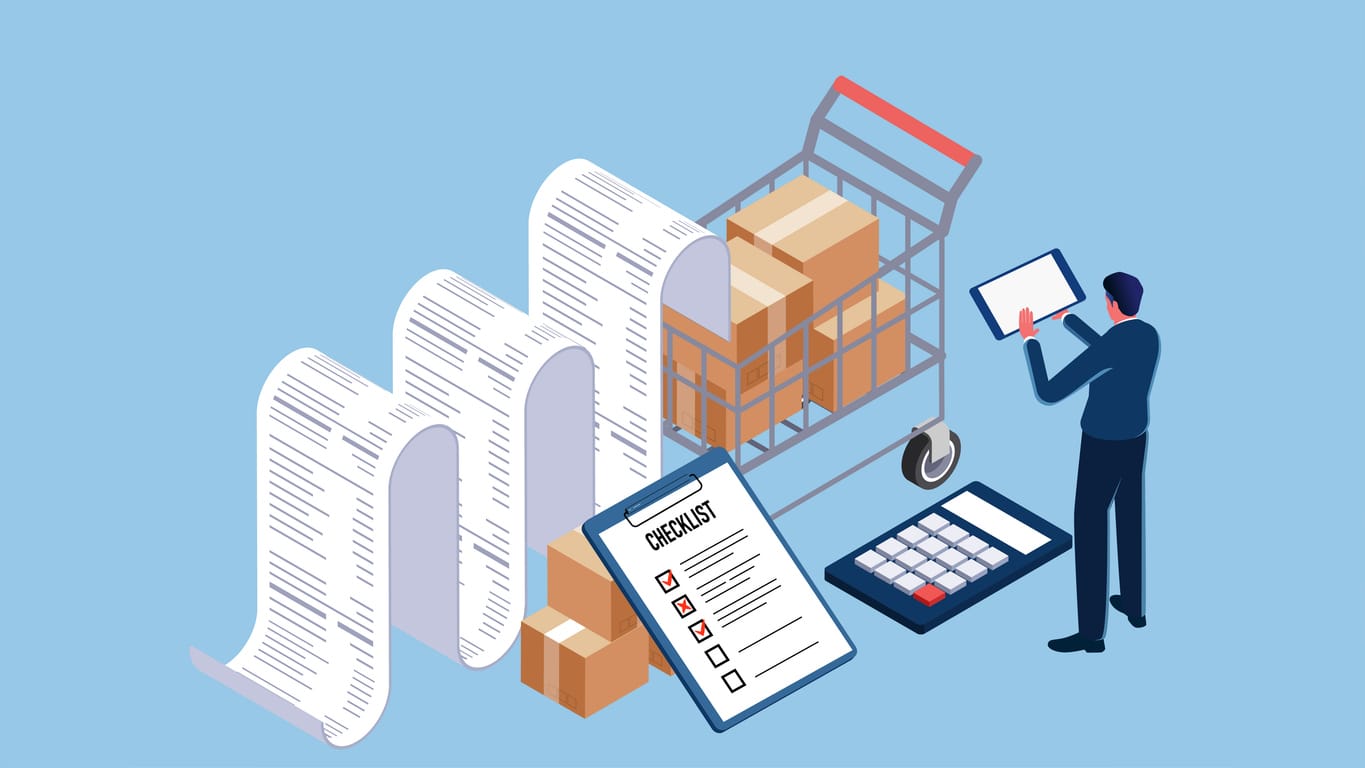
Stock mismatch can cause overselling. If your Shopify store accepts an order for a product that is no longer available from the supplier, you may need to delay fulfillment, issue a refund, or explain the problem to the customer.
Taobao stock sync helps reduce this risk, especially when managing many products or variants.
Mistake 4: Not Checking Product Images and Variants
A product listing may contain attractive images, but that does not mean every image matches every variant. Some listings include multiple models, colors, or packages under one product page.
Before publishing, check whether the customer-facing variant options match what the supplier can actually provide.
Mistake 5: Scaling Before Testing the Workflow
Do not add hundreds of products or launch large ad campaigns before testing the full process. Test product import, supplier response, order processing, quality control, packing, shipping time, and tracking updates.
A small test can reveal problems before they affect many customers.
Mistake 6: Assuming Automation Removes Manual Responsibility
Automation helps reduce repetitive tasks, but merchants still need to review important details. Supplier stability, product images, SKUs, variants, and customer-facing descriptions should be checked before scaling.
A safer approach is to automate repetitive work while manually reviewing anything that affects customer trust.
Manual Taobao-to-Shopify Workflow vs. BuckyDrop-Supported Workflow
For some sellers, the decision is not whether Taobao is useful. The real question is how much of the workflow should remain manual.
Workflow Area | Manual Method | BuckyDrop-Supported Workflow |
Product sourcing | Search and compare Taobao suppliers manually | Taobao product sourcing and supplier connection support |
Product upload | Copy titles, images, variants, and prices into Shopify | Shopify product import and product management support |
Stock checking | Revisit supplier pages manually | Taobao stock synchronization |
Order handling | Copy Shopify order details into the purchasing process | Automated order information download |
Fulfillment | Coordinate purchasing, packing, and shipping separately | Automated fulfillment workflow support |
Supplier risk | Depend heavily on the original supplier | Alternative supplier support |
Quality control | Limited visibility before international shipping | Quality control support before fulfillment |
Shipping preparation | Arrange packing and routes separately | Warehousing, packing, and negotiated shipping routes |
This comparison does not mean every seller needs automation from day one. If you are testing one or two products, manual work may be enough. But if your store depends on many SKUs, frequent stock changes, or daily order processing, the cost of manual mistakes can grow quickly.
When Should You Use BuckyDrop Instead of Doing It Manually?
Manual copy-paste may be enough if you are testing one or two products. But once your store has more products, more suppliers, or more daily orders, manual operations can become difficult to control.
BuckyDrop is worth considering when your challenge is not only importing products, but managing the full Taobao-to-Shopify workflow.
It is especially relevant if:
· You manage many SKUs.
· You source from Taobao, 1688, or Chinese suppliers.
· Supplier stock changes frequently.
· You want Taobao stock synchronization.
· You want to reduce manual product uploading.
· You need Shopify order information to move into fulfillment more accurately.
· You need support with sourcing, quality control, order processing, packing, warehousing, and shipping.
· You need alternative supplier support when the original supplier is unavailable.
· You want a more structured process for drop shipping from China.
For merchants comparing Shopify dropshipping platforms, drop shipping software, or the best dropship app for Shopify, the better question is not simply “Which tool imports products?” A more practical question is:
Which workflow helps me manage sourcing, inventory, orders, quality control, and fulfillment after the product is imported?
The BuckyDrop review page on the Shopify App Store shows merchant feedback around stock sync, long-term sourcing and fulfillment, order information download, backend inventory accuracy, quality control, alternative supplier finding, and special requests. The review page also shows the app’s current rating and review count, which merchants can check directly before deciding whether it fits their workflow.
Those reviews should not be treated as a guarantee that every store will get the same result. They are more useful as signals of the types of operational problems merchants are trying to solve: stock changes, supplier coordination, order processing, QC, inventory accuracy, and fulfillment.
FAQ: Connecting Taobao to Shopify
Can I import Taobao products to Shopify?
Yes. You can import or sync Taobao product information to Shopify, including titles, images, variants, pricing, and product details. However, you should also plan for stock management, supplier checks, order processing, quality control, packing, and shipping.
Is Taobao suitable for Shopify dropshipping?
Taobao can be useful for Shopify sellers who want to source products from China. It offers many product categories and supplier options. However, sellers need to manage supplier reliability, stock changes, variant accuracy, product quality, and fulfillment.
Why is Taobao stock sync important?
Taobao stock sync is important because supplier inventory can change quickly. If Shopify shows a product as available after the supplier runs out of stock, customers may place orders you cannot fulfill. Stock sync helps reduce this risk.
What happens after a Shopify customer places an order?
After an order is placed, the product needs to be purchased or sourced, checked, packed, shipped, and tracked. If the original supplier is out of stock, an alternative supplier may be needed.
Should I still manually check products if I use automation?
Yes. Automation can reduce repetitive work, but you should still verify product images, SKUs, variants, supplier stability, and product page accuracy before scaling.
When should I use BuckyDrop?
BuckyDrop is useful when you want support for Taobao sourcing, Shopify product import, stock synchronization, automated order information download, inventory management, quality control, packing, warehousing, and shipping routes. It is especially relevant for merchants managing many SKUs or trying to reduce manual supplier follow-up.
Conclusion
A successful Taobao-to-Shopify operation isn't about the number of products you list; it's about the reliability of your backend. Moving from manual copying to an automated workflow allows you to shift your focus from firefighting inventory issues to scaling your marketing—which is the only way a dropshipping store actually grows.
With support for Taobao product sourcing, Shopify product import, stock synchronization, automated order information download, inventory management, QC, packing, warehousing, and shipping routes, BuckyDrop can help Shopify sellers reduce repetitive work and build a more manageable process for cross-border ecommerce fulfillment.