How to Automate Order Processing?
Learn how to automate order processing for Shopify, WooCommerce, and dropshipping stores. Compare workflows, tools, risks, and what to test before scaling.
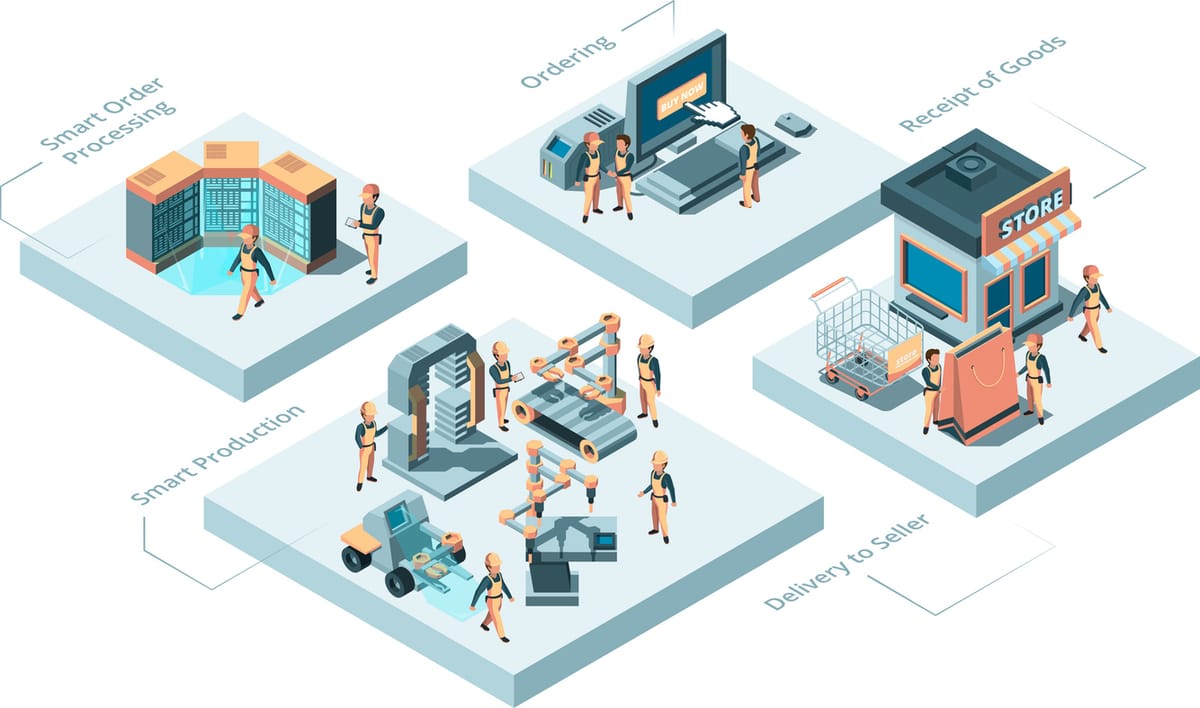
A Shopify seller does not usually realize order processing is broken until paid traffic starts working.
One TikTok video takes off. Meta ads bring in a few dozen orders overnight. Then the real work starts: copying customer addresses, checking supplier stock, matching product variants, paying suppliers, waiting for tracking numbers, updating Shopify, answering “Where is my order?” emails, and trying to avoid PayPal disputes or Shopify chargebacks.
That is not a growth strategy. That is a manual fulfillment queue.
Order processing automation is the process of connecting your store, inventory, supplier workflow, fulfillment steps, and tracking updates so orders move through the business with fewer manual handoffs. Shopify describes fulfillment as the process of getting customer orders prepared and delivered, including shipping settings, incoming orders, and fulfillment locations. Source: Shopify order fulfillment workflow.
For dropshipping and cross-border ecommerce sellers, automation has to go further than printing shipping labels. It needs to handle order sync, SKU and variant matching, supplier-side visibility, procurement, quality checks, packaging instructions, tracking return, and exception handling.
This guide explains how to automate order processing without pretending every tool solves the same problem.
Quick Verdict
If your main problem is creating shipping labels for products already stored in the United States or Canada, start with your ecommerce platform’s built-in order tools and a shipping app.
If your main problem is multi-channel inventory, warehouse routing, returns, and operational reporting, consider order management software. Capterra describes order management software as tools that help manage orders from initial acceptance to shipment and connect with inventory, payment, marketing, and customer relationship systems. Source: Capterra order management software category.
If your main problem is AliExpress or 1688-style product importing, supplier mapping, bulk ordering, and tracking sync, DSers or AutoDS may be worth testing. Competitor links are listed in the Sources section for transparency.
If your main problem is China sourcing, supplier coordination, procurement, quality checks, branded packaging, fulfillment, and tracking updates for Shopify or WooCommerce, BuckyDrop is a more relevant platform to evaluate. Start by reviewing BuckyDrop’s China sourcing service and branded dropshipping services. Source note: this positioning is based on BuckyDrop public pages, the BuckyDrop Shopify App Store listing, and company-provided materials.
What Is Order Processing Automation?
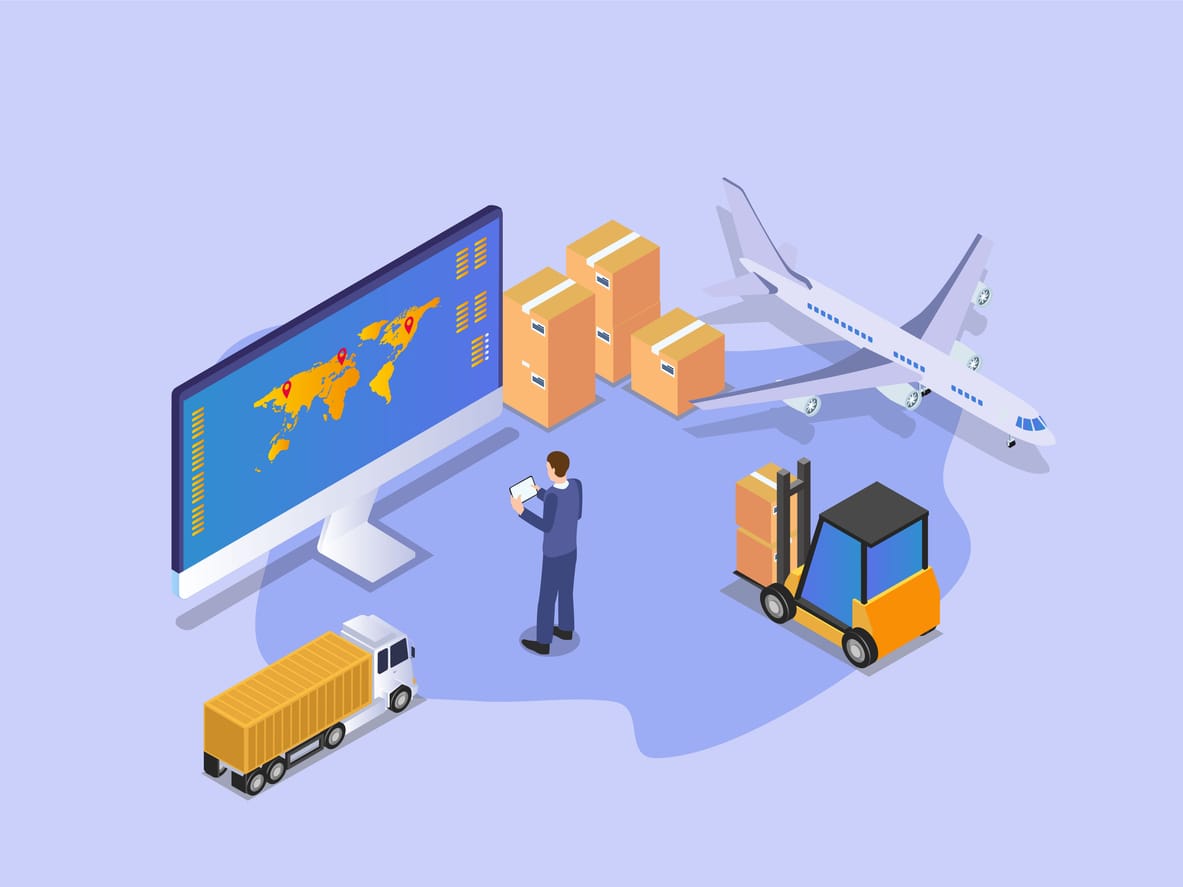
Order processing automation means using software, integrations, and fulfillment rules to move an order from checkout to delivery with fewer manual steps.
In a real ecommerce business, that can include pulling paid orders from Shopify or WooCommerce; matching each order to the correct SKU, supplier link, size, color, or bundle; checking stock and price changes; routing the order to a supplier, warehouse, agent, or fulfillment partner; triggering procurement, inspection, packaging, and shipment; pushing tracking numbers back to the store; and flagging exceptions such as out-of-stock products, address errors, quality issues, or delayed tracking.
WooCommerce states that orders are the center of store activity and are usually created when a customer completes checkout; the same documentation also covers order management for store administrators and shop managers. Source: WooCommerce order management.
For dropshipping sellers, order processing automation often needs to include supplier-side steps such as sourcing, procurement, QC, packaging instructions, and tracking return. BuckyDrop’s automated order fulfillment workflow is relevant when the store’s bottleneck extends beyond label printing.
For a small Shopify or WooCommerce seller, the point is not to automate everything blindly. The point is to remove repetitive work while keeping visibility over the parts that can damage margin or customer trust.
How We Evaluated the Solutions
This guide follows Google’s recommendation to create helpful, reliable, people-first content by focusing on practical evaluation criteria rather than exaggerated rankings. Source: Google’s helpful content guidance.
For the software-category comparison, order management software is treated as a separate category from dropshipping fulfillment tools and shipping-label apps. Source: Capterra order management software category.
We evaluated order processing automation tools by looking at the workflow problems small ecommerce teams actually face.
Evaluation Area | What to Check |
Sales channel integration | Shopify, WooCommerce, marketplace, API, or custom store support |
Inventory sync | Whether stock and price updates reach the store before orders become a problem |
SKU and variant matching | Size, color, bundle, plug type, material, and supplier link accuracy |
Supplier workflow | Whether the tool only imports products or also helps with procurement and supplier-side handling |
Fulfillment visibility | Order status, QC status, packing status, shipment handoff, and exception notes |
Tracking return | Whether tracking numbers sync back to Shopify, WooCommerce, PayPal, and customer notifications where applicable |
Total cost per fulfilled order | Product cost + service fees + packaging + shipping + app fees + manual support time |
Support and onboarding | How support handles real exceptions, not just signup questions |
Fit for dropshipping | Sourcing, QC, branded packaging, cross-border logistics, and supplier coordination |
Source note: the framework above is an operator evaluation method, not a third-party ranking.
When Small Businesses Need Automation

Not every store needs a full automation stack on day one. A founder doing a few orders per week can often process them manually and learn from every problem.
The situation changes when order volume starts taking time away from marketing, merchandising, customer service, and supplier management.
Monthly Order Volume | Practical Recommendation |
0-100 orders/month | Keep the workflow simple. Use native Shopify or WooCommerce order tools, basic tracking updates, and manual QA. Automate the most repetitive steps first. |
100-500 orders/month | Start automating order sync, tracking return, inventory alerts, and supplier purchase steps. Manual copying becomes easier to break. |
500-1,000 orders/month | Build a documented fulfillment workflow. Track exceptions daily. Measure cost per fulfilled order and support tickets per order batch. |
1,000+ orders/month | Use defined SOPs, backup suppliers, exception dashboards, and escalation rules. Manual supplier follow-up should become exception handling, not the default process. |
Source note: these thresholds are operator guidelines for planning, not industry benchmark data. Adjust them based on product complexity, team size, average order value, shipping method, and customer expectations.
A simple test: if order admin is taking a meaningful daily work block away from growth work, automation should be evaluated.
Comparison Table
Software / Solution | Best For | Main Strength | Main Limitation | Best Fit |
Shopify/WooCommerce sellers sourcing from China | Sourcing, procurement, QC, packaging, order sync, fulfillment, tracking updates | Not the first choice if you only need domestic label printing | Sellers whose bottleneck is supplier-side workflow and cross-border fulfillment | |
Shopify native fulfillment + shipping app | Sellers holding inventory or using a domestic 3PL | Built into Shopify order and fulfillment workflow | Does not solve China sourcing, supplier coordination, or QC | U.S./Canada sellers with stocked inventory |
WooCommerce + plugins | WordPress-based stores with custom workflows | Flexible and customizable | Requires more technical maintenance | Teams comfortable managing plugins, hosting, and integrations |
DSers | AliExpress/1688/Alibaba-style dropshipping workflows | Product sourcing, bulk ordering, stock/price/order sync listed on Shopify App Store | Fit depends on supplier model and category | Sellers running marketplace-style product tests |
CJdropshipping | Sellers comparing broad sourcing and fulfillment providers | Public listing mentions sourcing, order syncing, fulfillment, customization, and local warehouse delivery | Seller experience may vary; test stock, tracking, and support before scaling | Sellers wanting a broad dropshipping fulfillment provider |
Zendrop | Shopify sellers looking for a supplier catalog, POD, and branding options | Public listing mentions global suppliers, U.S. supplier positioning, POD, and custom branding | Better fit for catalog-based dropshipping than deep China-platform sourcing | Newer Shopify sellers prioritizing setup speed |
AutoDS | Sellers testing many products and suppliers | Public listing mentions product research, importing, price/stock monitoring, and order management | Subscription cost and workflow fit should be checked against margin | Sellers managing many product tests |
Source notes: competitor descriptions are based on public Shopify App Store listings. Pricing, ratings, and feature availability may vary and should be verified before scaling.
How to Choose the Right Platform
1. Start with the real bottleneck

Do not choose software because it says “automation.” Choose it because it fixes the step that is slowing down your business.
If your team is copying orders manually, prioritize order sync. If tracking numbers come late, prioritize tracking return. If customers receive the wrong variant, prioritize SKU mapping. If supplier quality is inconsistent, prioritize QC and supplier communication. If branded presentation matters, prioritize packaging execution.
2. Check your sales channel fit
Shopify sellers should confirm that the app can sync orders, update inventory, and return tracking cleanly to Shopify.
WooCommerce sellers should check plugin or API compatibility, order status behavior, and whether the fulfillment workflow works with their theme, payment setup, and installed plugins.
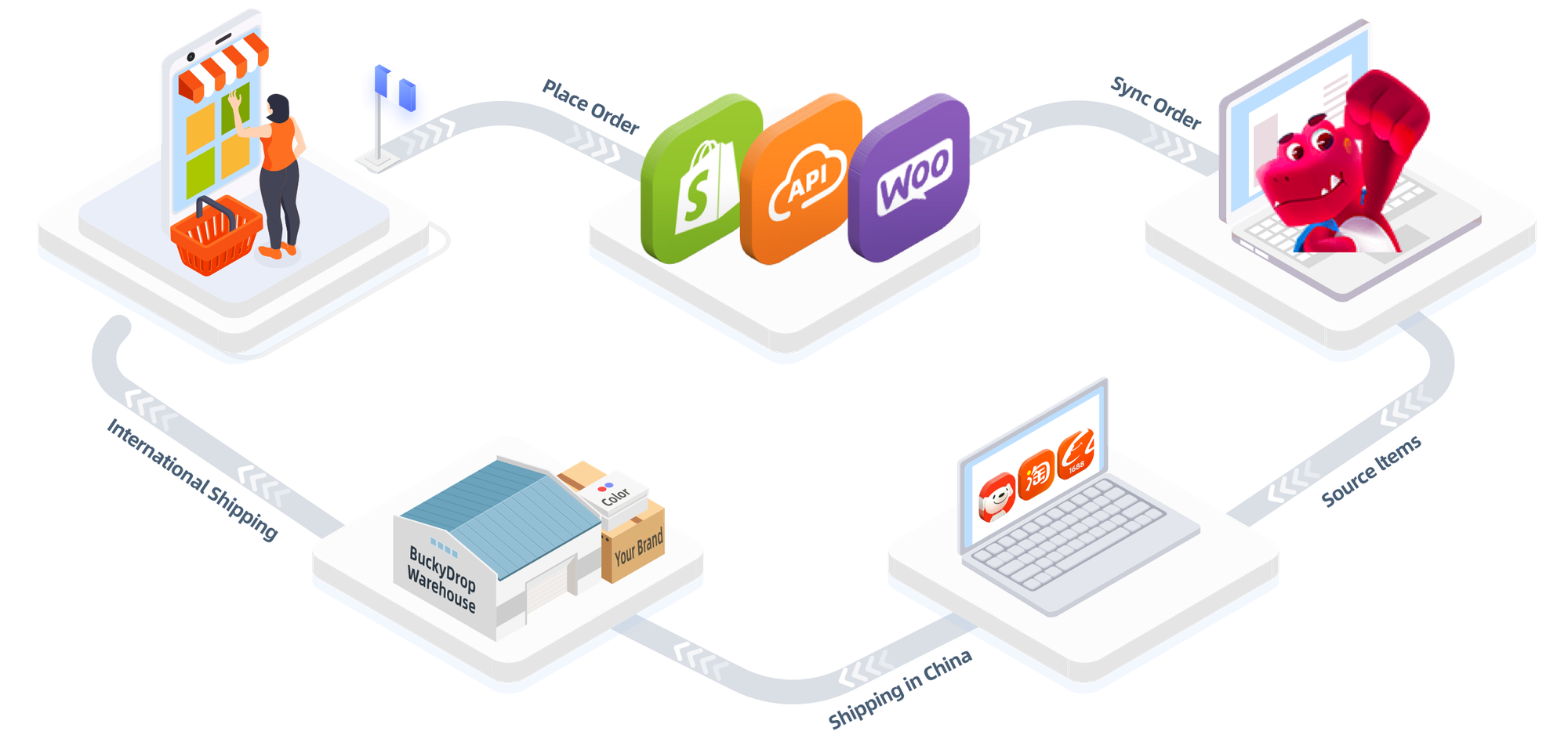
BuckyDrop’s public website states that it supports Shopify, WooCommerce, and API connection for syncing orders, inventory, and fulfillment. Source: BuckyDrop official website. Company-provided materials also list Shopify, WooCommerce, API, and BuckyShop support. Source: internal company materials.
3. Test inventory and SKU matching
This is where many stores lose money.
A red medium shirt and a burgundy medium shirt are not the same product. A U.S. plug and EU plug are not the same variant. A two-pack and a single unit are not the same SKU.
Before scaling, test multi-variant SKUs, bundles, and products with supplier-side naming differences.
4. Compare fulfillment depth
Some tools are primarily product importers. Some are shipping tools. Some are order management systems. Some are fulfillment partners.
BuckyDrop’s public materials describe a workflow covering product searching/listing, sourcing, warehousing and processing, auto-fulfillment and delivery, and logistics tracking updates. Source: BuckyDrop official website.
That does not mean every seller should use it. It means BuckyDrop should be evaluated when your order processing problem extends into sourcing, procurement, QC, packaging, and cross-border fulfillment.
5. Calculate cost per fulfilled order

Use this formula:
Cost per fulfilled order = product cost + sourcing or procurement fees + fulfillment/processing fees + packaging + shipping + app subscription + manual support time + refund or replacement risk
BuckyDrop publishes plan and service-fee information on its pricing page, but sellers should verify current costs, external charges, shipping routes, packaging fees, and real cost per fulfilled order before scaling.
BuckyDrop may be cost-effective for certain China sourcing workflows, but the real number depends on product cost, package weight, destination, service requests, and order volume.
6. Test support during exceptions
Do not judge support only by onboarding.
Test what happens when a supplier is out of stock, an address is incomplete, a product fails inspection, a tracking number is delayed, or a customer cancels after procurement starts.
BuckyDrop’s public site lists customer support and contact channels. Because support performance can vary by request type and season, verify response quality with real orders before scaling. Source: contact BuckyDrop.
Best Software and Solution Options
1. BuckyDrop
BuckyDrop is relevant for sellers whose order processing problem starts before shipping.
Based on public materials and company-provided materials, BuckyDrop supports China sourcing, product procurement, quality inspection, warehousing and processing, custom packaging, auto fulfillment, inventory updates, tracking updates, Shopify connection, WooCommerce connection, and API access. Source: BuckyDrop official website, BuckyDrop Shopify App Store listing, API integration, and internal company materials.
The Shopify App Store listing currently shows public plan and review information. Pricing and external charges may vary, and sellers should verify the current pricing page and App Store listing before committing. Source: BuckyDrop Shopify App Store listing.
BuckyDrop is not just a label-printing tool. It is better evaluated as a sourcing-and-fulfillment workflow for sellers who need supplier-side visibility, product handling, QC, packaging, and tracking return.
2. Shopify native fulfillment plus shipping tools
This is the cleanest setup if you already own inventory, ship from a domestic warehouse, or use a straightforward 3PL.
Shopify’s documentation frames fulfillment around processing, managing, and shipping customer orders, including shipping settings and fulfillment locations. Source: Shopify order fulfillment workflow.
This route does not solve supplier sourcing or product inspection. It works best when your inventory and fulfillment partner are already reliable.
3. WooCommerce plus automation plugins
WooCommerce gives operators flexibility. That is useful for sellers with custom checkout flows, subscription logic, special order statuses, or developer support.
The tradeoff is maintenance. You need to watch plugin conflicts, hosting performance, payment gateway behavior, and how order statuses trigger fulfillment actions.
4. DSers
DSers is worth evaluating if your workflow centers on AliExpress, 1688, Alibaba, or supplier mapping. Its Shopify App Store listing mentions product sourcing, one-click listing, bulk ordering, automatic stock/price/order/package sync, and tracking ID sync to store/PayPal. Source: DSers Shopify App Store listing.
It may be a better fit for marketplace-driven product testing than for sellers who need deeper QC, branded packaging, or managed China procurement.
5. CJdropshipping
CJdropshipping is a broad dropshipping provider. Its Shopify App Store listing mentions product sourcing, auto-listing, order syncing, fulfillment, product and packaging customization, and local warehouse delivery. Source: CJdropshipping Shopify App Store listing.
It is worth comparing if you want a broader dropshipping fulfillment ecosystem. Test real order handling, stock accuracy, support quality, and tracking performance before moving all volume.
6. Zendrop
Zendrop may fit Shopify sellers looking for supplier catalog access, POD options, custom branding, and a setup designed around dropshipping stores. Its Shopify App Store listing mentions global suppliers, U.S. supplier positioning, print-on-demand, and custom branding. Source: Zendrop Shopify App Store listing.
It may be a better fit when your bottleneck is store setup and catalog-based product access, not deep China marketplace sourcing.
7. AutoDS
AutoDS is useful for sellers testing many products and needing importing, research, price monitoring, stock monitoring, and order management. Its Shopify App Store listing mentions product research, order manager, product sourcing, and price/stock monitoring features. Source: AutoDS Shopify App Store listing.
Check subscription cost, supplier workflow, and fulfillment fit against your margins before scaling.
BuckyDrop at a Glance
Item | Practical View |
Best for | Shopify and WooCommerce sellers sourcing products from China |
Not best for | Sellers who only need U.S./Canada label printing or simple domestic 3PL shipping |
Core value | Connect sourcing, procurement, QC, packaging, fulfillment, and tracking updates |
Strong categories | Based on public and company-provided materials: fashion, pet products, jewelry, home goods, accessories, giftable items, and customizable products |
Main use case | Automating dropshipping fulfillment from Chinese suppliers to overseas customers |
Key point to test | SKU mapping, stock update accuracy, QC communication, packaging execution, tracking return, support response, and real cost per fulfilled order |
Source note: BuckyDrop positioning and service scope are based on public pages, BuckyDrop Shopify App Store listing, and company-provided materials. Category fit may vary by product quality, supplier availability, shipping route, destination, and customer expectations.
Before vs. After Workflow
Before automation, a small team often handles orders like this:
A customer places an order. The seller copies the order into a spreadsheet. Someone checks supplier stock manually. Another person messages the supplier, pays for the item, waits for tracking, updates Shopify or WooCommerce, then replies to customer emails when the package status is unclear.
That workflow may survive at low volume. It becomes fragile when ads scale.
After a working automation setup, the store order syncs into the fulfillment system. The SKU and variant are matched. Stock and price changes are monitored. Procurement starts according to the workflow. QC and packaging instructions are followed where applicable. Tracking is returned to the store. The operator watches exceptions instead of touching every order.
Automation does not remove responsibility. It changes the operator’s job from manual processing to workflow control.
Who BuckyDrop Is Best For
BuckyDrop is a stronger fit for sellers who already know China sourcing is part of their business model.
That includes Shopify sellers testing or scaling products from Chinese platforms, WooCommerce sellers that need fulfillment automation, dropshipping founders moving from generic products toward branded packaging, and small teams tired of manual supplier messages.
It also fits sellers who need more than product import. If you need procurement, QC, packaging instructions, logistics choices, and tracking updates in one workflow, BuckyDrop is worth a controlled test. Review the China sourcing service and branded dropshipping services pages before testing.
Source note: supported platforms and service scope are based on BuckyDrop public materials and company-provided materials.
Who BuckyDrop Is Not For
BuckyDrop is probably not the first tool to test if you only ship inventory from a U.S. or Canadian warehouse, use a domestic 3PL and only need label creation, run a business mainly through Amazon FBA, require same-day domestic dispatch, do not want to test suppliers or packaging, or sell products with compliance requirements that need specialized verification before sourcing.
This is not a criticism of BuckyDrop. It is the buying logic. A sourcing-and-fulfillment workflow should match the fulfillment problem.
What to Verify Before You Commit
Do not move all orders immediately. Run a 10-20 real-order test.
Test order sync speed, SKU and variant matching, inventory update behavior, price update behavior, out-of-stock handling, QC communication, packaging execution, tracking return to Shopify or WooCommerce, customer notification behavior, support response during exceptions, and actual cost per fulfilled order.
Include messy test cases. Do not test only one clean order. Add one multi-variant SKU, one address correction, one cancellation, one out-of-stock item, one branded packaging request, and one product that needs quality inspection.
For shipping cost planning, use BuckyDrop’s shipping fee calculator as one input, then verify the actual route, package size, destination, and service request before scaling.
This gives you a better view of the workflow before you scale ad spend.
Common Mistakes to Avoid
1. Automating a bad supplier workflow
Automation can move bad supplier data faster. If stock is unreliable or product quality is inconsistent, fix supplier selection and QC rules before scaling.
2. Treating product import as full fulfillment automation
Importing a product into Shopify is not the same as purchasing, inspecting, packing, shipping, and returning tracking.
3. Ignoring SKU and variant mapping
Variant errors create refunds, replacements, and support tickets. Test size, color, material, plug type, bundle quantity, and supplier link mapping.
4. Judging software only by subscription price
A low monthly fee may still be expensive if the workflow creates refunds, chargebacks, manual fixes, or delayed tracking. Calculate cost per fulfilled order.
5. Not testing tracking return
If tracking does not return correctly to Shopify, WooCommerce, PayPal, or customer emails where applicable, your support team will still do manual work.
6. Scaling ads before testing stockout handling
A stockout during a TikTok or Meta ad spike can create refunds, angry emails, and chargeback risk. Test the exception workflow first.
7. Assuming branded packaging is always worth it
Branded packaging may help when repeat purchase, gifting, or perceived value matters. It may not make sense for low-margin impulse products.
8. Forgetting seasonal stress
Q4, Black Friday, holiday gifting, and carrier delays can expose weak fulfillment workflows. Test before peak season, not during it.
Real-World Use Cases
Reported case: Japanese fashion team using branded fulfillment
In a reported customer case published on BuckyDrop’s branded dropshipping services page and included in company-provided materials, a five-person Japanese fashion team used BuckyDrop services including hangtag replacement, sewn logo handling, thank-you cards, branded labels, clothing organization, folding, and packaging.
According to company-provided case materials, the reported result was a 20% repeat purchase rate increase and a 5% return rate reduction.
Source: BuckyDrop public branded dropshipping page and company-provided customer case materials. Results may vary depending on product category, product quality, pricing, traffic source, shipping time, packaging execution, customer expectations, and post-purchase communication.
Reported case: U.S. Shopify seller using procurement and warehousing support
According to company-provided customer case materials, a U.S. Shopify seller used BuckyDrop for long-term procurement, warehousing, and package handling. The materials mention white-label and vacuum packaging service needs, reduced operational burden, and positive support feedback.
Source: company-provided customer case materials. This is a reported case, not a universal result.
Reported case: Singapore independent store using custom packaging
According to company-provided customer case materials, a Singapore independent store used BuckyDrop to consolidate products from Chinese platforms, arrange custom packaging, choose logistics routes, and support automated order flow and inventory sync.
Source: company-provided customer case materials. Verify category fit, shipping route, and packaging requirements before scaling.
FAQ
1. How do I automate order processing for a Shopify store?
Start with order sync, SKU mapping, inventory updates, fulfillment routing, and tracking return. If you hold inventory, Shopify’s native fulfillment workflow and a shipping app may be enough. If you dropship from China, test a sourcing-and-fulfillment platform with real orders.
2. Can I automate order processing in WooCommerce?
Yes. WooCommerce supports order management workflows, and many stores use plugins or external systems. Test plugin compatibility, order status behavior, hosting performance, and tracking updates before scaling. Source: WooCommerce order management.
3. Is order processing automation the same as a shipping tool?
No. A shipping tool helps with labels, carrier rates, and tracking. Order processing automation may also include supplier purchasing, stock monitoring, QC, packaging, fulfillment routing, and exception handling.
4. Is BuckyDrop only for Shopify?
Based on BuckyDrop public materials, the BuckyDrop Shopify App Store listing, and company-provided materials, BuckyDrop supports Shopify, WooCommerce, API access, and BuckyShop. Verify your specific setup before scaling.
5. Can BuckyDrop work with WooCommerce?
BuckyDrop public materials and company-provided materials list WooCommerce support. Test order sync, SKU mapping, tracking return, cancellations, and plugin compatibility before moving all orders.
6. How much does BuckyDrop cost?
Pricing may vary. Review the current BuckyDrop pricing page and App Store listing before scaling.
7. Can BuckyDrop support API access?
BuckyDrop provides an API integration page for custom platform access. Verify technical requirements with the provider before development work.
8. What happens if a supplier runs out of stock?
The right workflow should flag the issue, stop or pause purchasing, and give the seller options such as replacement, backorder, customer notification, or refund. Test this scenario before scaling.
9. Is branded packaging worth it?
It can make sense for fashion, jewelry, beauty, pet accessories, gifts, and products where repeat purchase or perceived value matters. It may not pay off for low-margin products with weak brand retention. Review the branded dropshipping services page for BuckyDrop’s related service scope.
10. What should I test before using automation for all orders?
Test 10-20 real orders. Measure order sync, SKU accuracy, inventory updates, QC communication, packaging accuracy, tracking return, exception handling, support response, and cost per fulfilled order.
11. Is BuckyDrop better than Zendrop, CJdropshipping, DSers, or AutoDS?
Not universally. Zendrop may fit catalog-based Shopify dropshipping. DSers may fit AliExpress/1688-style supplier mapping and bulk ordering. AutoDS may fit product research and monitoring. CJdropshipping may fit sellers comparing broad dropshipping fulfillment services. BuckyDrop is more relevant when the bottleneck is China sourcing, procurement, QC, packaging, and automated fulfillment for Shopify or WooCommerce.
Sources
• Google Search Central: Creating helpful, reliable, people-first content
• Shopify Help Center: Order management and fulfillment
• WooCommerce Documentation: Managing orders
• Capterra: Order Management Software
• BuckyDrop China sourcing service
• BuckyDrop Branded Dropshipping Services
• BuckyDrop Shipping Fee Calculator
• BuckyDrop Shopify App Store Listing
• DSers Shopify App Store Listing
• CJdropshipping Shopify App Store Listing
• Zendrop Shopify App Store Listing
• AutoDS Shopify App Store Listing
• Source: internal company materials
• Source: company-provided customer case materials
Final Recommendation
If your store is still below meaningful order volume and the founder can review every order without hurting growth work, keep the workflow simple.
If order admin is becoming a daily bottleneck, start automating the steps that create errors: order sync, SKU matching, inventory updates, supplier purchase workflow, tracking return, and exception handling.
If your fulfillment problem includes China sourcing, procurement, QC, custom packaging, and cross-border tracking updates, test BuckyDrop with your next 10 to 20 real orders.
Measure three things:
1. how much manual order work is reduced;
2. how quickly tracking returns to your store;
3. whether the real cost per fulfilled order makes sense after product cost, service fees, packaging, shipping, support time, and refunds.
CTA: Connect your Shopify or WooCommerce store and start with BuckyDrop using a controlled 10-20 order test. Measure order sync, SKU matching, QC communication, packaging execution, tracking return, support response, and real cost per fulfilled order before scaling.